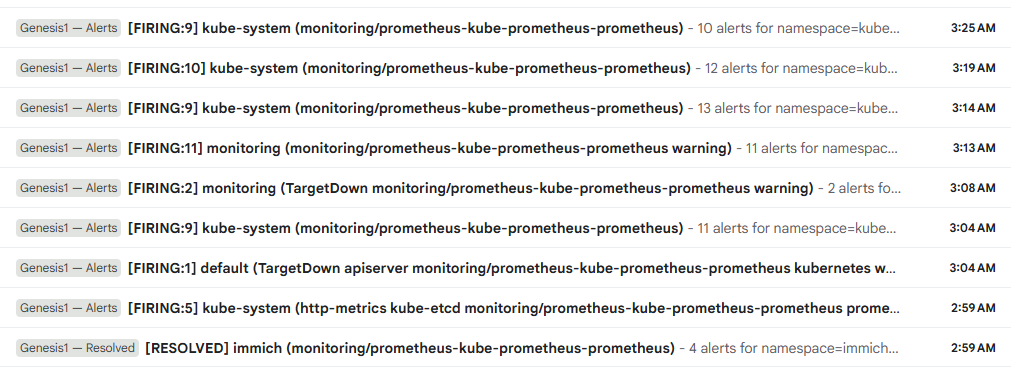
I wasn’t doing anything dramatic. No major deployment. No risky configuration change.
I was trying to add a NAS to my homelab. New hardware means more devices, more devices means more outlets, more outlets means buying a power strip. What nobody tells you when you start this journey is that cable management becomes its own project the moment hardware starts multiplying. I ran out of space on my existing surge protector so I needed to plug the new one in somewhere close to the router, close to the switch, close to everything.
So I unplugged the router to free up an outlet, plugged the power strip in, then plugged the router back into the strip. Simple enough.
Router went down. Internet went down. Expected. Thirty seconds later everything came back — except my cluster.
The First Sign
FreeLens couldn’t connect. The error was a dial TCP timeout trying to reach port 6443 on master. That’s the Kubernetes API server port. If you can’t reach 6443 you can’t talk to the cluster at all.
I SSH’d into master directly since Tailscale was still up. The node was reachable but kubectl wasn’t working. The API server wasn’t responding.
The Swap Problem
First thing I checked was kubelet. It was crash looping. The logs told me exactly why: failed to run Kubelet: running with swap on is not supported, please disable swap
When master rebooted after the power interruption swap came back on. Kubernetes requires swap to be disabled — it can’t manage memory properly when the OS is swapping to disk. Kubelet refuses to start with swap enabled.
The fix is three commands:
sudo swapoff -a
sudo sed -i '/ swap / s/^\(.*\)$/#\1/g' /etc/fstab
sudo rm -f /swap.img
The first turns swap off immediately. The second comments it out of fstab so it doesn’t come back on reboot. The third deletes the swap file entirely — the permanent fix.
I ran those on master. Kubelet came back. But the cluster still wasn’t healthy.
That’s because swap had come back on every node that rebooted — not just master. I had to SSH into master2, worker1, and worker2 and run the same three commands on each one.
The etcd Problem
Even after fixing swap on all four nodes the cluster still wouldn’t fully recover. The API server kept crashing with an authentication error trying to reach etcd.
Here’s what happened: master2 went down abruptly when the router dropped. etcd is the database that stores everything about your cluster — every pod, every config, every secret. It’s designed so that multiple copies run across your masters and they stay in sync by agreeing with each other before making any changes.
The key word is agreeing. With two masters and one suddenly offline the remaining copy couldn’t make decisions on its own — it needed the other one to confirm. So it froze. Nothing could be written. The API server couldn’t function.
When master2 came back it had to recover from an unclean shutdown. The two etcd instances hadn’t reestablished their connection yet. I had to stop etcd on both nodes and let kubelet restart them so they could find each other and sync back up.
Once both were talking again the API server came back, the cluster recovered, and everything went back to normal.
The Real Lesson
Three things I’d do differently.
1. Get a UPS.
A UPS would have kept the router powered during the whole outlet swap. No internet interruption, no reboot trigger, no incident. It doesn’t prevent you from physically unplugging things but it protects against accidental power loss while you’re working around your gear. It’s on my list.
2. Bring the cluster down gracefully before touching anything.
This is the real one. Before you touch any network gear, any power infrastructure, anything physical — drain and shut down the cluster first.
kubectl drain worker1 --ignore-daemonsets --delete-emptydir-data
kubectl drain worker2 --ignore-daemonsets --delete-emptydir-data
sudo shutdown -h now
Do your physical work. Power everything back on. Let the cluster come up clean. No swap surprise, no etcd quorum loss, no debugging session.
Same discipline you’d use in a data center. Apply it at home too.
3. Run three masters, not two.
Two masters sounds like redundancy. It isn’t.
With two copies of etcd you need both of them alive and talking. Lose one and the cluster freezes. You have no high availability — you have a single point of failure split across two machines.
With three masters you only need two of them to agree. Lose one and the other two keep the cluster running. You have time to fix the dead node without the whole thing going down.
I’m adding a third master. A small form factor machine — 8GB RAM is enough since masters only run control plane components. The cost is low. The peace of mind is worth it.
What to Do Right Now
If you just built a bare metal Kubernetes cluster:
Permanently disable swap on every node — now, not after the next reboot surprises you:
sudo swapoff -a
sudo sed -i '/ swap / s/^\(.*\)$/#\1/g' /etc/fstab
sudo rm -f /swap.img
Always drain and shut down gracefully before touching physical infrastructure.
Plan for a third master.
One unplugged cable took my cluster down for two hours. These three things would have prevented all of it. Hopefully this saves you the same two hours.